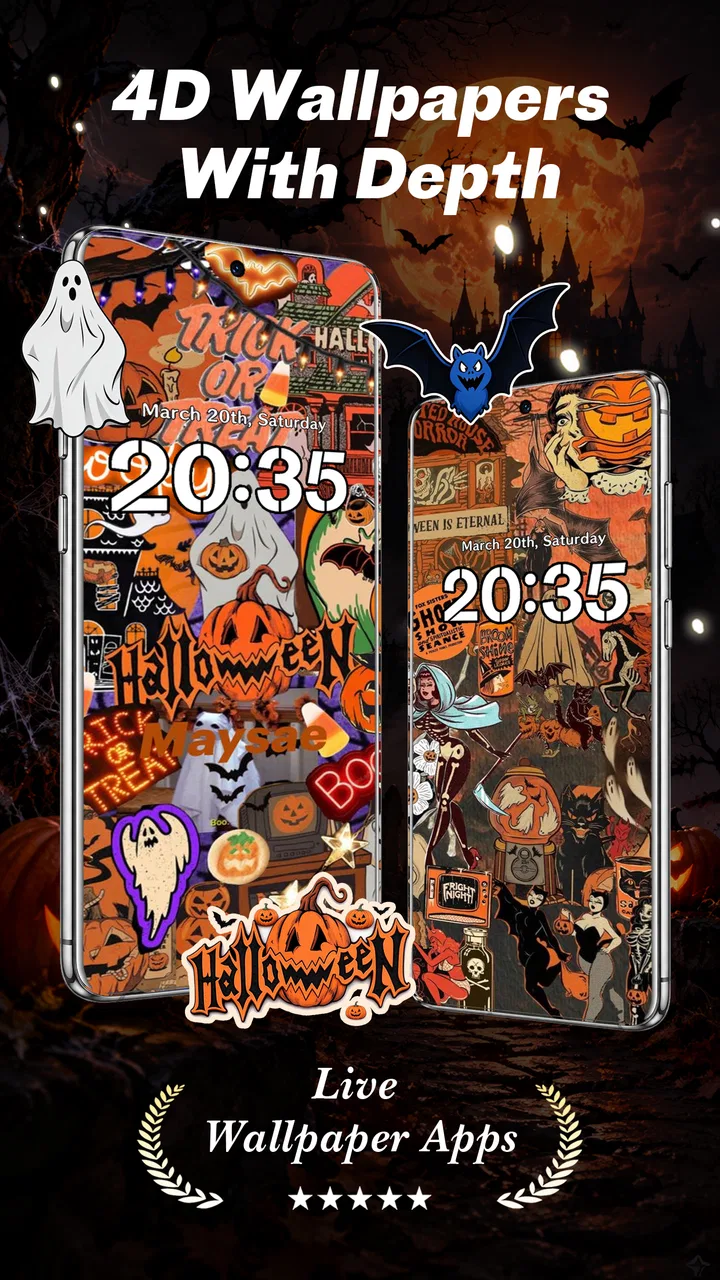
Live Wallpapers - VibeWalls
- 4.7
- Rating
- 100.00K
- Installs
- Free
- Price

 Analysis by App-foxy
I approached VibeWalls-Live Wallpaper&Theme as a personalization app for people who want their phone to feel less static without spending an afternoon rebuilding every screen. Its central promise is straightforward: create live wallpapers and adjust widgets from one place. In practice, that makes it more interesting than a simple wallpaper picker, because the appeal is not only choosing an image but shaping the mood of the whole home screen.
My first impression was that the app is aimed at quick visual changes rather than deep Android customization. That distinction matters. If you want a carefully engineered launcher replacement, a complete icon system, or highly technical control over every animation, this probably is not the tool I would start with. If you want to refresh a familiar phone with moving backgrounds and coordinated widget touches, it has a more approachable purpose.
How VibeWalls feels during everyday customization
The app comes from Hong Kong Mishi Technology Co., Limited and sits in the Personalization category. It is free to install, with optional in-app purchases ranging from $0.49 to $19.99 per item. That arrangement makes it easy to test the basic experience before deciding whether the paid additions are worthwhile, although anyone who dislikes locked extras should pay attention when exploring the customization catalog.
You May Also Like

 Blood Strike: 2.5 Anniversary
Blood Strike’s Loadouts Turn Every Drop Into a Tactical Gamble
A close look at Blood Strike’s custom loadouts: how fast access to signature weapons reshapes its battle royale rhythm, rewards preparation, and narrows the gap between fights.

 Pandora - Music & Podcasts
Pandora’s Music Is Easy to Start, but Harder to Recover
Pandora’s strength is its low-effort path from a seed to a station. Its weak spot is how much confidence it asks you to place in connection, setup, and quiet recovery.

 8 Ball Pool
 Is Built on Rivalries, Rematches, and Routine
A close look at the rivalries, rematches, shared routines, and unanswered safety questions that turn a quick pool match into a persistent mobile community.

 Samsung Music
’s Quiet Strength Is Playing What You Already Own
Its reach comes less from spectacle than from dependable access to a personal library. That simplicity is both the app’s strongest retention engine and its ceiling.

 AccuWeather: Weather Radar
AccuWeather Review: A Quick, Clear Forecast for Everyday Decisions
For everyday plans, the best forecast is the one you can understand quickly. AccuWeather makes rain timing, radar, and local conditions easy to act on, with a few trade-offs.

 Hill Climb Racing
Why Hill Climb Racing Still Turns Crashes Into One More Run
A tiny car, a bumpy hill and one more upgrade: Hill Climb Racing keeps resurfacing because its simple chaos makes every near-miss feel personal.
More From Our News Desk



The most useful way to think about it is as a visual refresh tool. I would open it when my home screen felt dull, when I had changed a phone case and wanted the display to match, or when I wanted a seasonal look without changing launchers. The live wallpaper is the attention-grabbing part, while widget customization helps the rest of the screen look intentional instead of like a moving background placed behind unrelated elements.
One practical tip is to begin with the wallpaper and treat widgets as supporting pieces. It is easy to choose an attractive animated background first and then discover that bright icons or busy widget designs make the screen difficult to read. I found the better workflow was to choose the visual mood, check whether text and icons remain clear, and only then add widget styling. This small order of operations saves time and produces a cleaner result.
The app is also better suited to people who change their style occasionally than to users who want a new arrangement every hour. Live wallpaper customization can be enjoyable, but the novelty depends on finding a design that remains comfortable during repeated daily use. A dramatic scene may look impressive in a preview and become distracting when checking messages, opening a map, or reading a calendar.
What the free starting point means
Because the app is free, I would recommend installing it with a specific goal rather than browsing without limits. Decide whether you want an animated background, a widget makeover, or a coordinated theme-like appearance. That makes it easier to judge the free experience fairly and avoid treating every paid option as necessary.
The presence of individual purchases gives the app a flexible entry point, but it also introduces a trade-off. People who only need a small visual change may be perfectly satisfied without paying. Someone who wants a broader collection of polished styles may eventually encounter more reasons to spend. I would not call that unusual for personalization software, but it is worth remembering that “free” describes access to the app, not necessarily every design choice inside it.
The age rating is Everyone, which fits the app’s purpose as a general visual customization utility. It is available for devices running Android 7.0 or later. That broad compatibility is helpful for people using older phones, although compatibility alone does not guarantee that every device will handle animated backgrounds with the same smoothness.
Speed, stability, and what happens during heavier use
When I judge an app like this, I care less about how quickly a preview opens once and more about how it behaves across the complete workflow: browsing, previewing, applying a design, returning to the home screen, and using the phone normally afterward. Wallpaper tools can feel fast in a catalog and still become inconvenient if applying a choice takes several attempts or if the result does not appear immediately.
VibeWalls is naturally more demanding than a static image because live wallpapers involve ongoing visual activity. That does not mean the app will necessarily feel slow, but it does mean the phone has more work to do than with a single still background. On a newer device, the difference may be easy to ignore. On an older or entry-level handset, I would be more cautious about choosing the most visually active option and leaving it enabled all day.
The heaviest moments are likely to be the ones involving animated previews and the transition from customization back to ordinary phone use. I would avoid judging performance while several other demanding apps are open, because that can make any personalization tool seem worse than it is. A cleaner test is to apply one design, return to the home screen, open the apps I use most, and see whether the phone still feels comfortable for normal tasks.
There is also a useful battery trade-off here. A live wallpaper is not automatically a battery problem, but continuous animation can consume more resources than a static picture. If battery life is a priority, I would use a restrained design, switch back to a still wallpaper during travel, or keep the animated option for a secondary device. That is not a criticism unique to this app; it is the basic cost of choosing motion over stillness.
Widget customization adds another layer to the workload, especially when the home screen contains several elements that update or redraw. I would start with one or two widgets rather than filling every available space. Besides keeping the layout readable, this makes it easier to identify whether a slowdown comes from the wallpaper, the widgets, or the phone’s general workload.
A realistic daily scenario
Imagine using the app before a busy workday. You choose a calm animated background, place a compact widget near the area your thumb naturally reaches, and leave the rest of the screen uncluttered. During the morning, you glance at the phone for the time and upcoming tasks without needing to unlock a separate customization panel. In that scenario, the app earns its place because the visual change is useful and pleasant rather than merely decorative.
Now imagine the opposite: a highly animated background, several bright widgets, and a crowded icon grid. The screen may look exciting for a few minutes, but it can make everyday actions harder to scan. My advice is to design for the moments when you are in a hurry, not only for the screenshot you take after finishing. A good personalization setup should disappear into your routine instead of demanding attention every time the display wakes.
Reliability and recovery habits
Reliability for a wallpaper app is not only about avoiding crashes. It also includes whether the chosen appearance remains in place after leaving the editor, whether the home screen still looks coherent after a restart, and how easy it is to recover when a design no longer feels right. I would keep a simple fallback in mind: know how to return to a static wallpaper through the phone’s normal personalization settings.
That fallback is particularly useful if an animated design feels too busy, if the phone becomes less responsive, or if you simply change your mind. It prevents the app from becoming a barrier between you and a usable home screen. I also recommend applying one major change at a time. If you alter the wallpaper and several widgets together, it becomes difficult to tell which part caused an unwanted result.
Another sensible recovery habit is to check the home screen immediately after applying a design. Look at text contrast, icon visibility, and whether important shortcuts remain easy to tap. A wallpaper can be attractive inside a preview and less practical once real icons and widgets sit on top of it. Catching that immediately is easier than discovering the problem later when you need to open something quickly.
I would also avoid changing the entire setup immediately before an important trip or work session. Personalization is low risk compared with many other app categories, but a visual tool still affects the screen you depend on constantly. Give yourself a few minutes to confirm that the result is comfortable and that returning to the previous appearance is straightforward.
Older phones and device limits
Android 7.0 support gives VibeWalls a wide potential device range, but older operating systems often come with older hardware as well. That is where expectations should be realistic. A phone that handles static backgrounds comfortably may show more strain with animated content, especially when storage, memory, or battery condition is already poor.
For an older device, I would choose the least complicated-looking live wallpaper available, keep widgets limited, and test the phone with the setup during ordinary use rather than relying on a short preview. If scrolling, app switching, or typing feels less responsive, the sensible choice is to simplify the home screen or return to a static background.
On a newer phone, the app’s visual purpose is easier to appreciate because the device is more likely to have enough headroom for animation and widget updates. Even then, I would not assume that maximum visual activity is automatically better. Smoothness is part of the experience, and a modest design that stays comfortable all day is more successful than an impressive one that makes the phone feel busy.
Users who rely on a very specific launcher layout should also think carefully before switching their visual setup. VibeWalls makes sense when the main goal is appearance. It is less compelling if you need advanced launcher behavior, complex automation, or highly granular control over app icons and gestures. In those cases, a dedicated launcher or a system-level customization solution may be a better fit.
How it compares with familiar alternatives
The usual alternative is simply using a static wallpaper from the phone’s built-in settings. That option is faster to understand, usually lighter on resources, and ideal for people who value battery life above animation. VibeWalls is more appealing when the home screen itself feels like part of your personal style and you want widgets to participate in the change.
Another alternative is a dedicated launcher. Launchers generally offer deeper control over grids, gestures, icons, folders, and navigation behavior. They can transform how a phone works, not just how it looks. VibeWalls is the better choice when you want a lighter visual adjustment without committing to a new way of navigating the device.
There is also a difference between using a single wallpaper app and assembling a theme manually from separate wallpaper, widget, and icon tools. The manual route can produce a more exact result, but it requires more patience and can leave the screen looking inconsistent. VibeWalls has an advantage for anyone who wants a coordinated appearance with fewer moving parts, even if a specialist tool may offer more depth in one particular area.
My most useful comparison is therefore not “which app has the most features?” but “how much change do you actually want?” Choose the phone’s built-in settings for simplicity, a launcher for structural control, and VibeWalls for a more visual, animated refresh that still feels relatively focused.
Who should use it and who should skip it
I would recommend VibeWalls to someone who gets bored with a fixed home screen, enjoys matching widgets to a visual theme, and is willing to trade a little efficiency for atmosphere. It is also a reasonable option for refreshing an older-looking phone without replacing the launcher or rebuilding every shortcut.
I would be more hesitant to recommend it to someone whose top priorities are maximum battery endurance, absolute minimal resource use, or a distraction-free display. If you mostly check messages, calls, navigation, and work tools, a static background may be the more sensible choice. People who need advanced icon packs, gesture systems, or detailed automation should also look beyond a focused wallpaper-and-widget app.
The current version is 1.0.19, and the app has a 4.4 average from around one hundred ratings, with over ten thousand installs. Those figures suggest a modest but positive early audience rather than a long-established customization platform. I read that as a reason to try it with reasonable expectations: the concept is easy to understand, but users who need a mature ecosystem or extensive customization depth may prefer a more established alternative.
My performance verdict
VibeWalls works best when I treat it as a controlled visual upgrade instead of an invitation to animate every part of the phone. Its strongest qualities are the approachable combination of live wallpapers and widget styling, the free starting point, and the ability to make a familiar home screen feel more personal without adopting a full launcher.
Its main compromises are equally clear. Motion can be less practical than a static image, animated previews and active backgrounds may be more demanding on weaker devices, and paid items mean the free installation is only the beginning of the catalog. The app also cannot replace a launcher for users who want deep behavioral changes.
My recommendation is to install it if you want a distinctive home screen and are prepared to test the result during normal use. Start with one wallpaper, add only the widgets you genuinely need, and keep a simple static fallback for travel or low-battery days. Used that way, VibeWalls is a pleasant personalization option rather than a needless layer of visual noise.
FAQs for Live Wallpapers - VibeWalls
01What features does VibeWalls-Live Wallpaper&Theme offer?
VibeWalls-Live Wallpaper&Theme offers a wide range of dynamic live wallpapers and customizable themes to enhance your device's appearance. Users can browse through various categories, including nature, abstract, and 3D designs. The app also provides customization options, allowing users to adjust brightness, contrast, and animation speed to suit their preferences.
02Is VibeWalls compatible with all devices?
VibeWalls is designed to work on most Android and iOS devices. However, performance may vary depending on your device's specifications. It is recommended to check the app's compatibility on your device's app store page before downloading to ensure optimal functionality and performance.
03Does VibeWalls consume a lot of battery and data?
Live wallpapers can use more battery than static ones due to their animations. VibeWalls is optimized to minimize battery consumption, but usage may vary based on the wallpaper's complexity. The app also allows for offline access to downloaded wallpapers, minimizing data usage after initial download.
04Are there any in-app purchases or subscription fees?
VibeWalls offers a free version with limited access to wallpapers and themes. For full access, users can opt for in-app purchases or a subscription plan, which unlocks premium content and removes ads. Pricing details are available within the app, allowing users to choose the plan that suits their needs.
05How often is new content added to VibeWalls?
VibeWalls regularly updates its library with new wallpapers and themes. Users can expect fresh content weekly, ensuring a constant supply of new visuals to keep their devices looking vibrant. Subscribers often receive early access to new and exclusive content within the app.
Pros
- High-quality live wallpapers available.
- Easy-to-use interface for customization.
- Regular updates with new themes.
- Battery-efficient live wallpaper performance.
- Wide variety of themes and categories.
Cons
- Some features locked behind paywall.
- Occasional ads can be disruptive.
- Limited offline functionality.
- Requires Android 8.0 or higher.
- Not optimized for all screen sizes.

Live Wallpapers - VibeWalls
Gallery